 Forefront
Troubleshooting Data Confusion
Common reasons data can look confusing, and how to troubleshoot them.
My data is gone!/A teacher is reporting their data is gone.
As long as the data made it to the Forefront server (i.e., no internet issues), the data cannot be deleted from Forefront by users. However, things can happen that may look like the data is gone. Contact support@forefront.education for help troubleshooting (though read on first: the information below may answer your question).
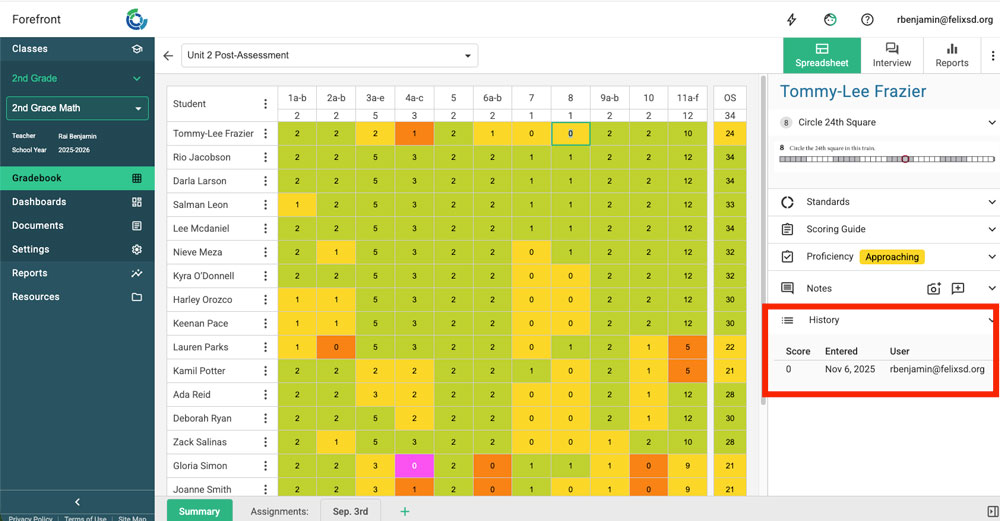
Tool: Spreadsheet cell history
Click into a cell in the spreadsheet, and access “History” in the right sidebar. This will show who entered what score when. This can help troubleshoot.
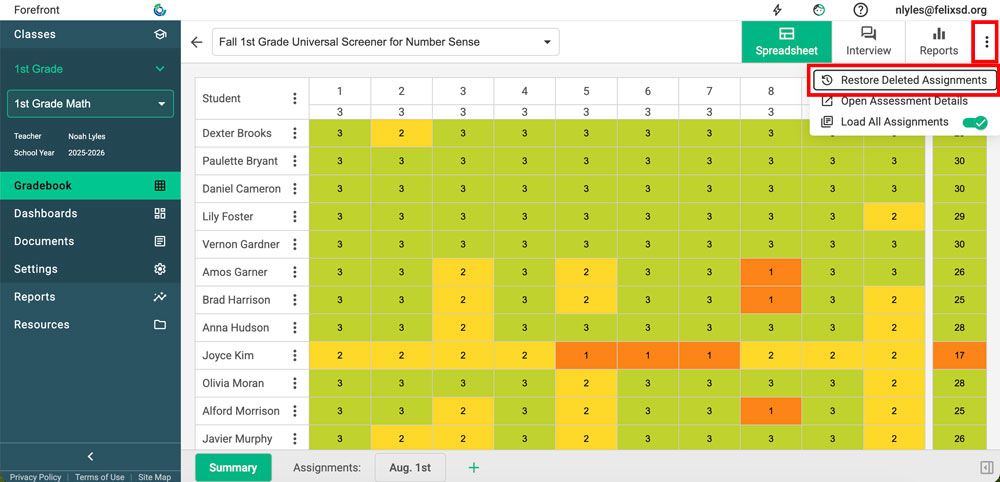
I accidentally deleted a data tab I needed…
Click the three-dot menu in the upper right. Select “Restore Deleted Assignments.”
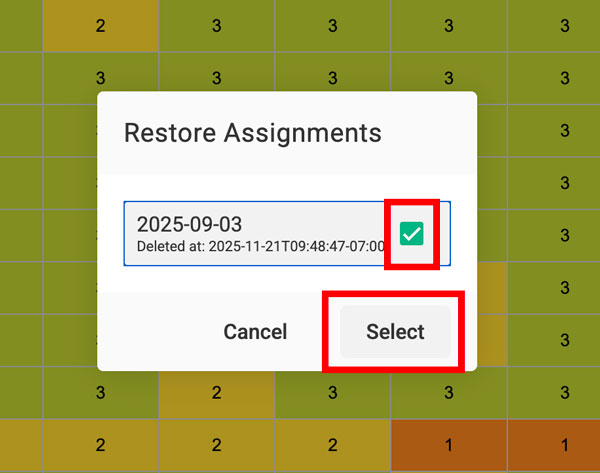
Toggle the assignment you would like to restore and click “Select.”