 Forefront
Adding Printable Documents or Handouts to Courses
How to add family letters, printable documents, and handouts to courses.
Adding family letters requires district manager course access.
Note: Printable Documents/Family Letters/Handouts are available for Basic and Premium subscription plans.
Adding Documents/Letters/Handouts
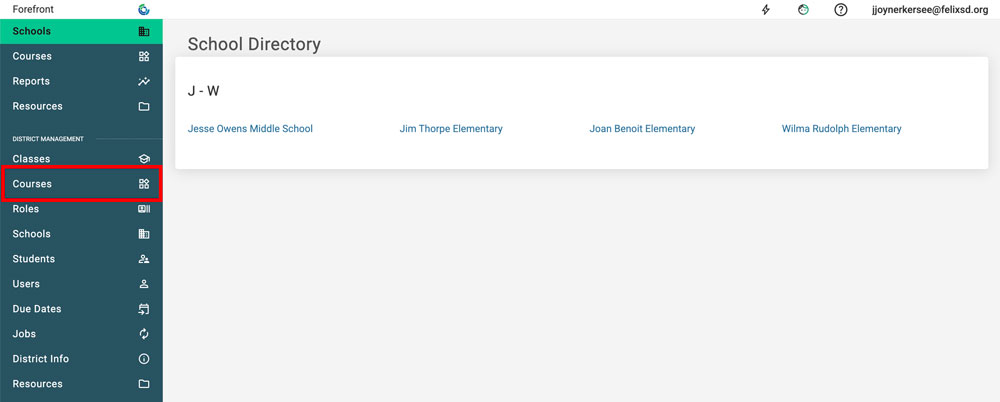
Step 1: Use the side navigation to access courses.
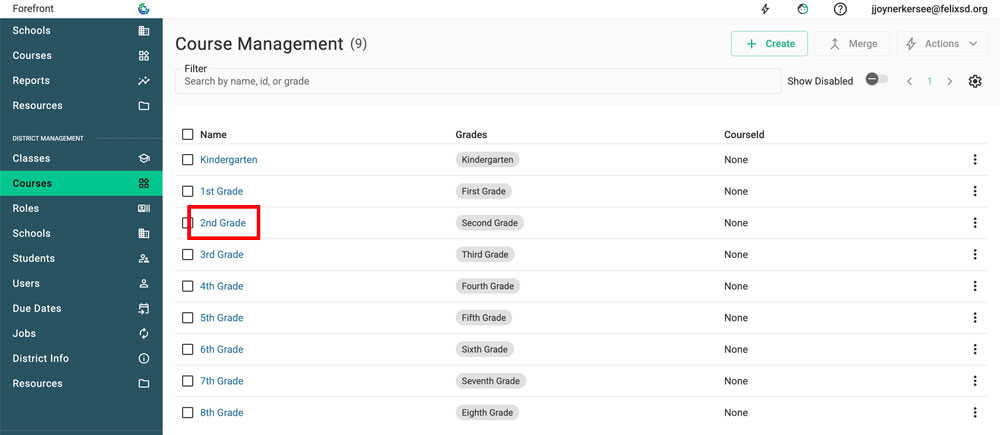
Step 2: Click the course that the document/letter/Handout should be added to.
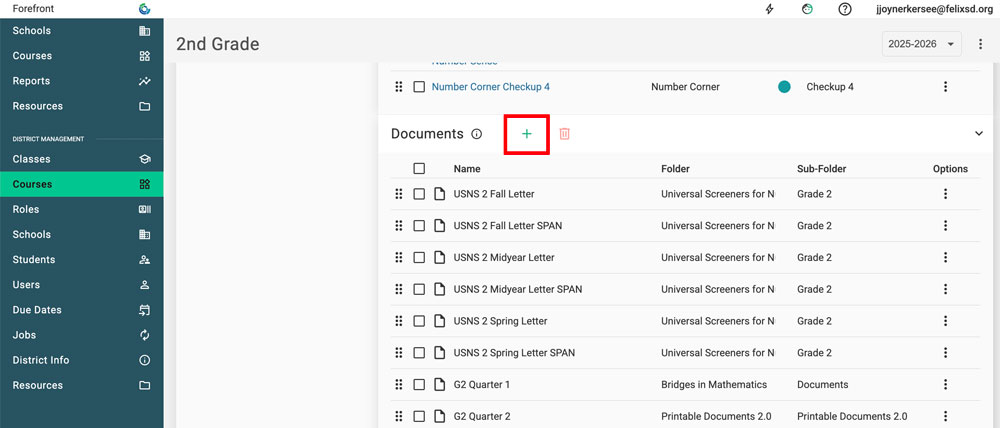
Step 3: Scroll down to “Documents” and click the green plus-sign.
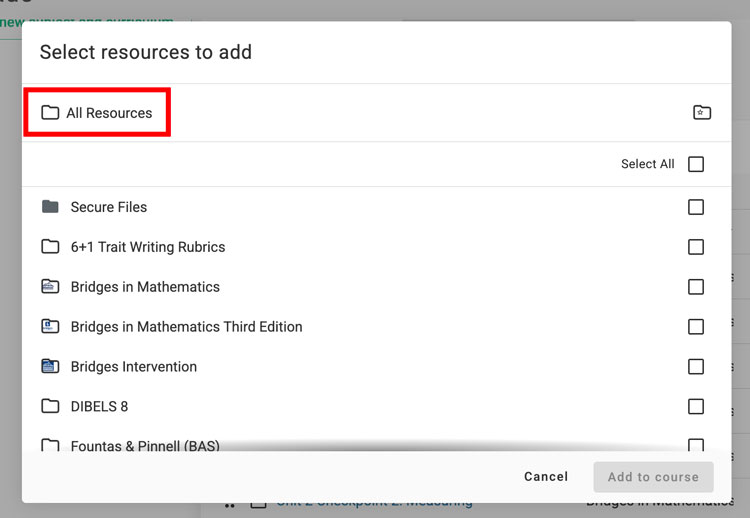
Step 4: Use the folder structure to access the document/letter/Handout. Click “All Resources” in the breadcrumb trail to navigate to all folders.
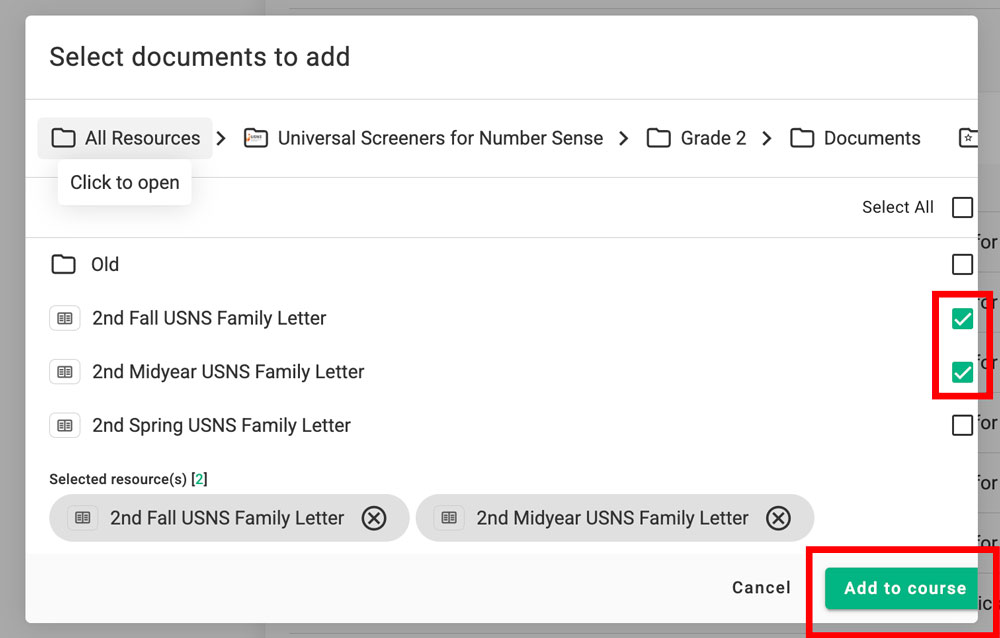
Step 5: Select the document/Handout(s) to add with the green checkbox. Click “Add to Course.”
Removing Documents/Letters/Handouts
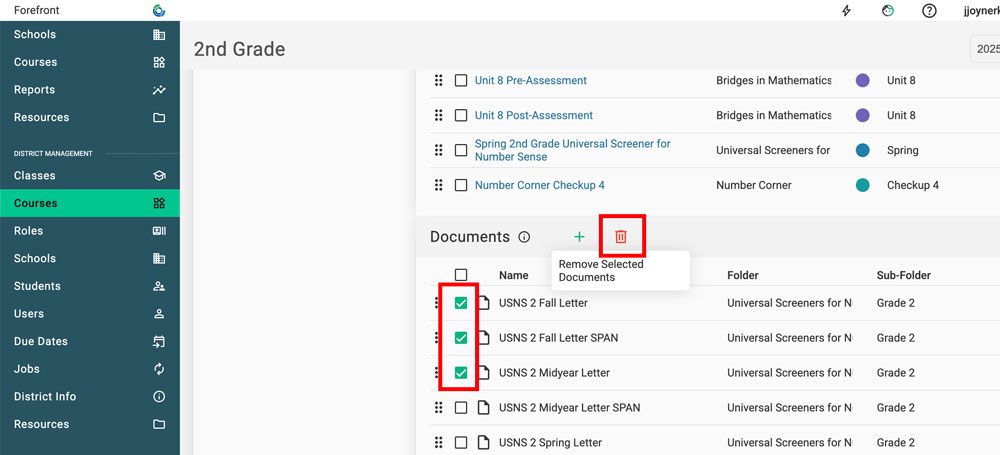
Check the checkbox of the document/letter/Handout to Remove. Click the red trash can to remove it.
Organizing Documents/Letters/Handouts
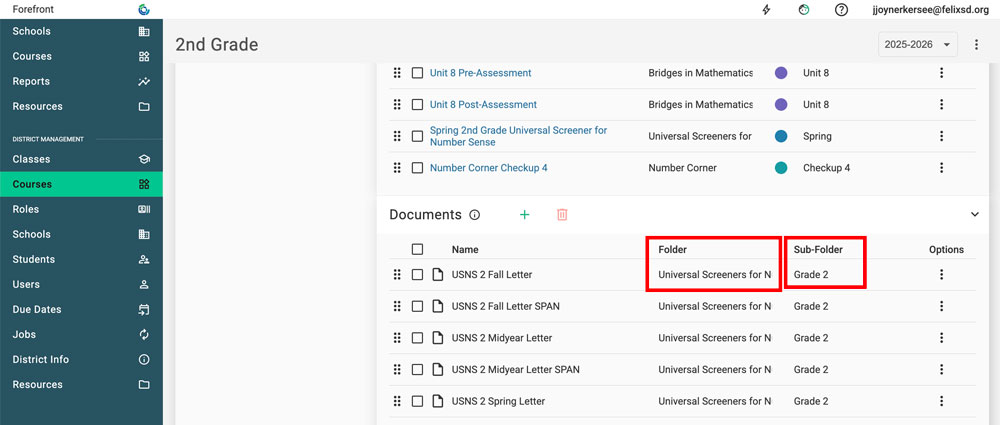
New for the 25-26 school year, documents/letters/Handouts can be organized into Folders and Subfolders.
Select from existing folder/sub-folders or click to type new folder/sub-folders.