 Forefront
Managing Courses
How to manage courses in Forefront.
If you are making significant changes (adding subjects, adding sub-curricula, or adding grade levels), email support@forefront.education to avoid issues.
Terminology in Forefront
Assessment: sets of questions or observational frameworks with defined scores, performance levels, and Standards alignments (ex., Fall G2 USNS)
Program: sets of assessments, can be grouped into “parts” (ex., Universal Screeners for Number Sense)
Curriculum: the assessments, standards systems, and documents
Subject: can be used to organize curricula
Lens: a way to highlight key standards or combine standards systems (Read more about lenses here.)
Course: one or more curricula and associated documents
Class: a group of students in a school with a teacher and a course
Examples of Course Set-Ups
An elementary school teacher has:
one class of students
in the course third grade
subjects are math, science, social studies and ELA, which are each a curriculum with their own programs of assessments.
A middle school teacher:
teaches the subject math
she has several classes in the course Sixth-Grade Math
has lenses to look at assessment results through the lenses of state standards, priority standards, and historic student data.
Course Management for Clients
Adding Handouts/Printable Documents to Courses
Changing Program or Part Names, or Documents Folders
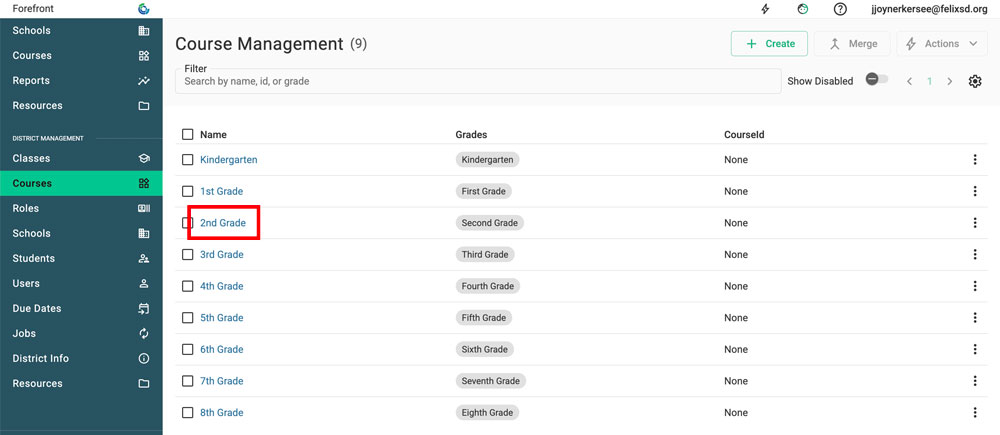
Step 1: Navigate to the Course Management in the left sidebar. Click the course that is being modified.
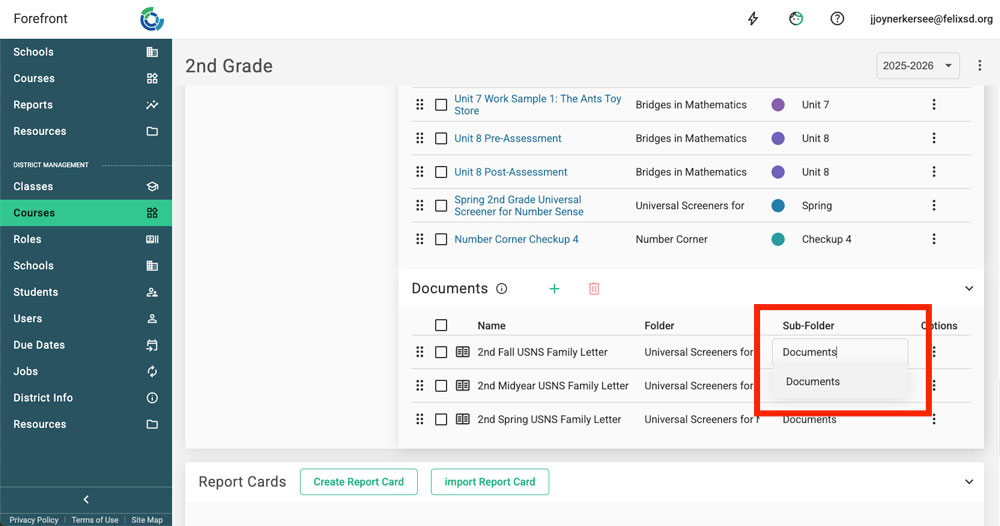
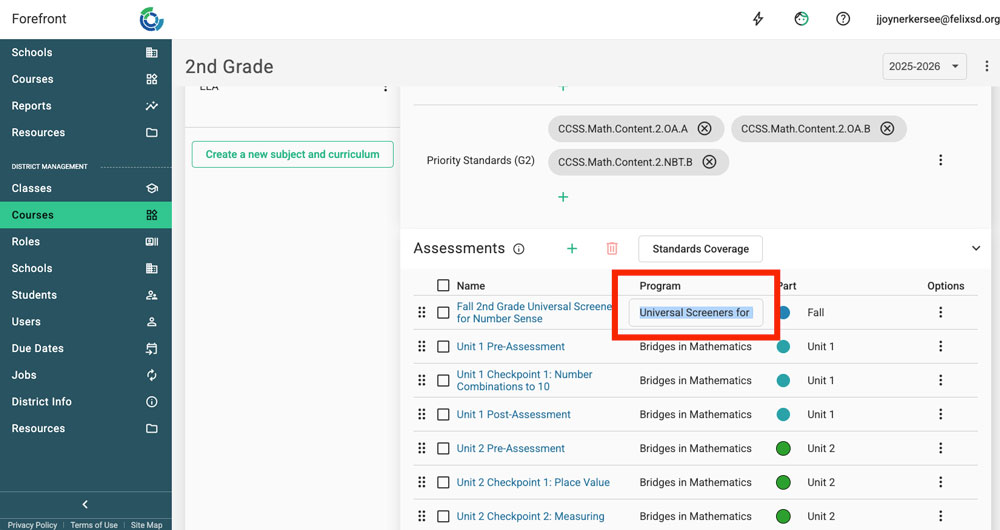
Step 2: Click the text in the “Part” or “Program” column (for assessments) or the “Folder” and “Sub-Folder” columns (documents) to type text, or use the dropdown to change the text.
Course Management to Connect with Forefront About
Adding grade levels
Adding subjects
Configuring intervention courses