 Forefront
Adding or Accessing Files Securely in Forefront Resources
How users with district write access can upload and download files securely through Forefront resources.
(More: Understanding User Roles)
Users with higher-level permissions can now access their Secure Files through Forefront, without an SFTP client.
Accessing the Secure Folder
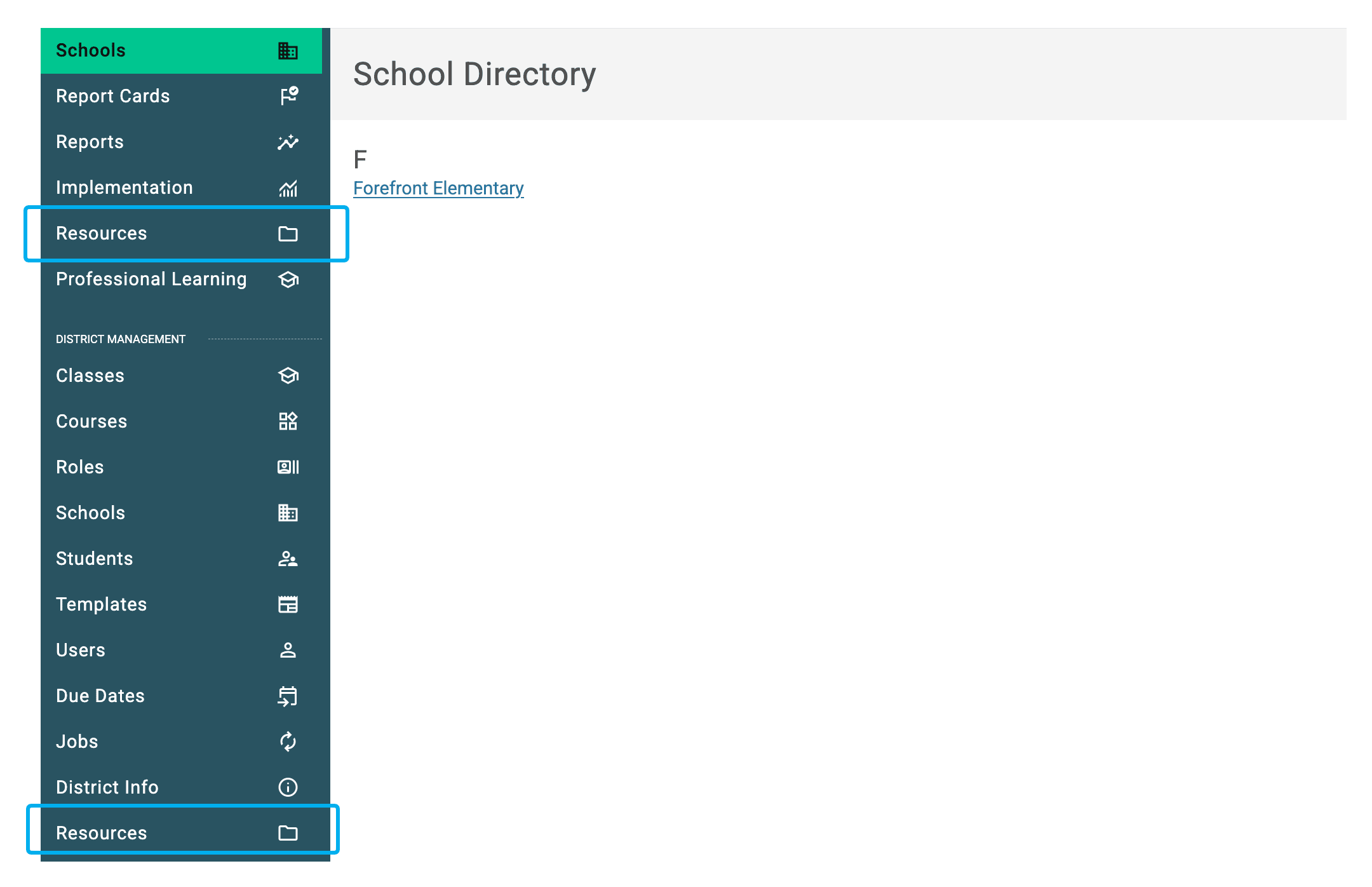
Step 1: Click “Resources” in the left side bar.
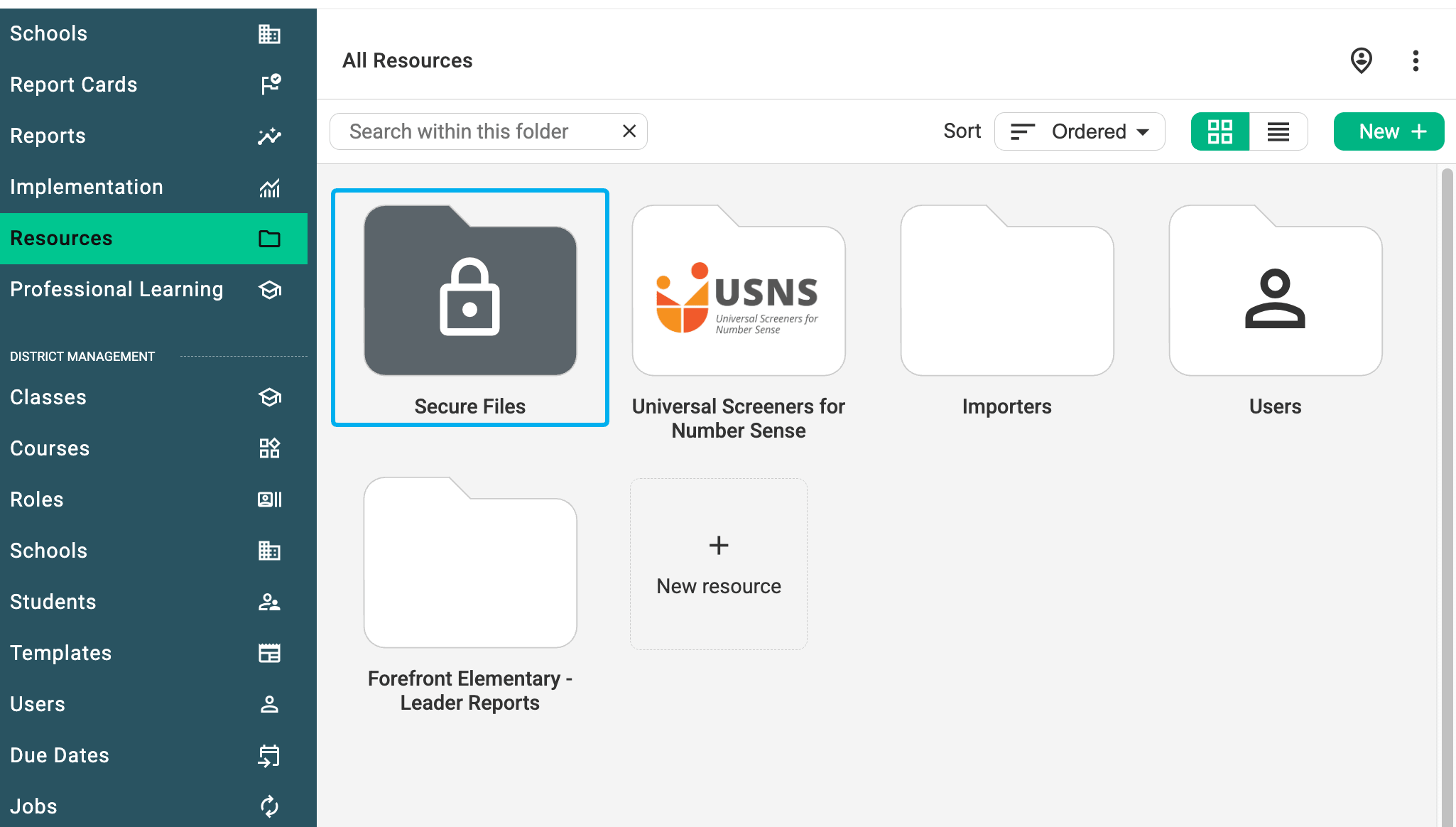
Step 2: Find and click the secure folder to open it.
Uploading a File to the Secure Folder
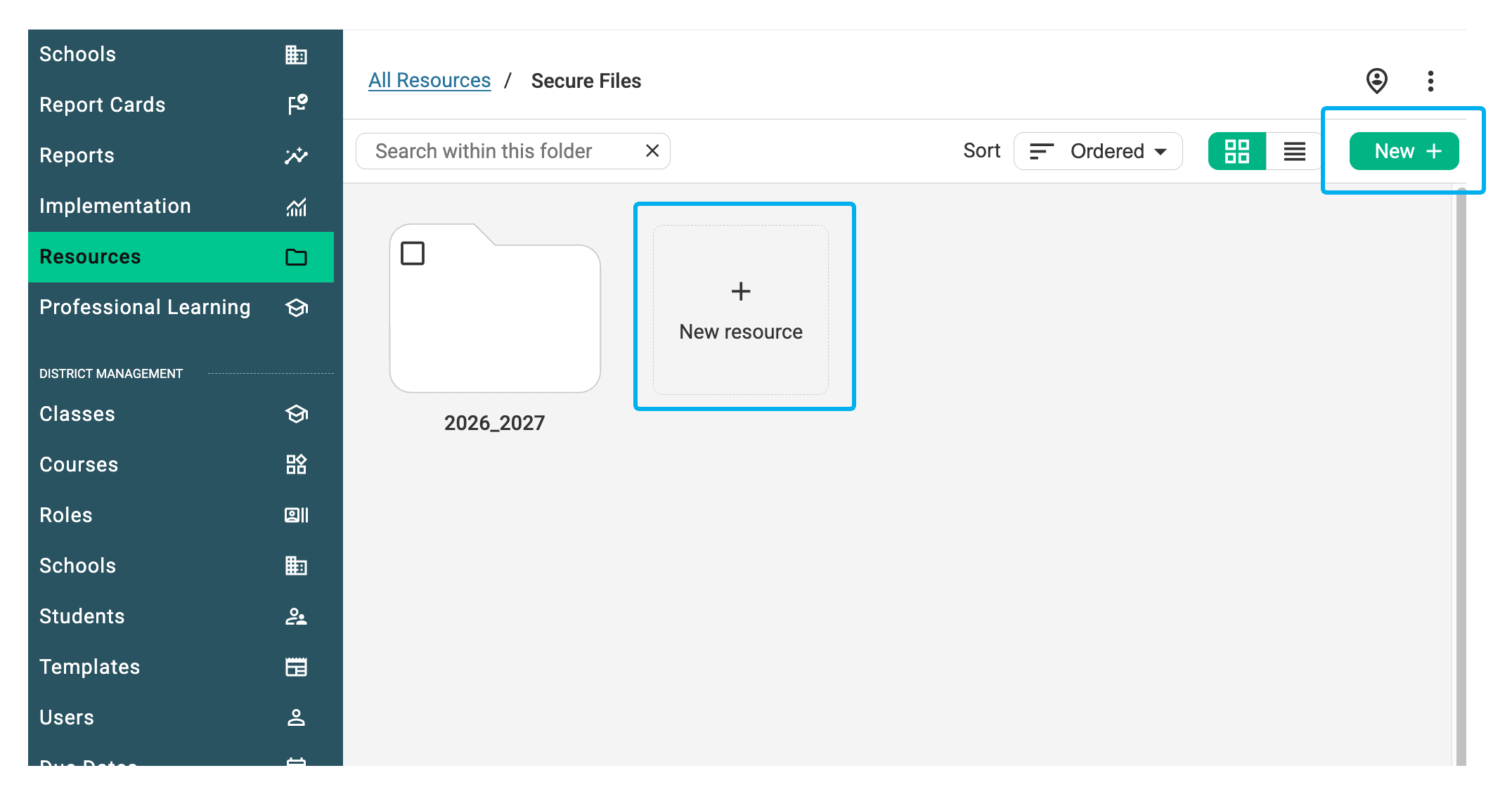
Step 1: Click the green ‘New +’ button or choose ‘New resource’ to upload your file.