 Forefront
How do I focus on one student's progress?
The most useful reports for following the growth and performance of a single student.
How to Add a Single Student Cohort
One feature of the reporting suite is the ability to look at flexible groups of student(s).
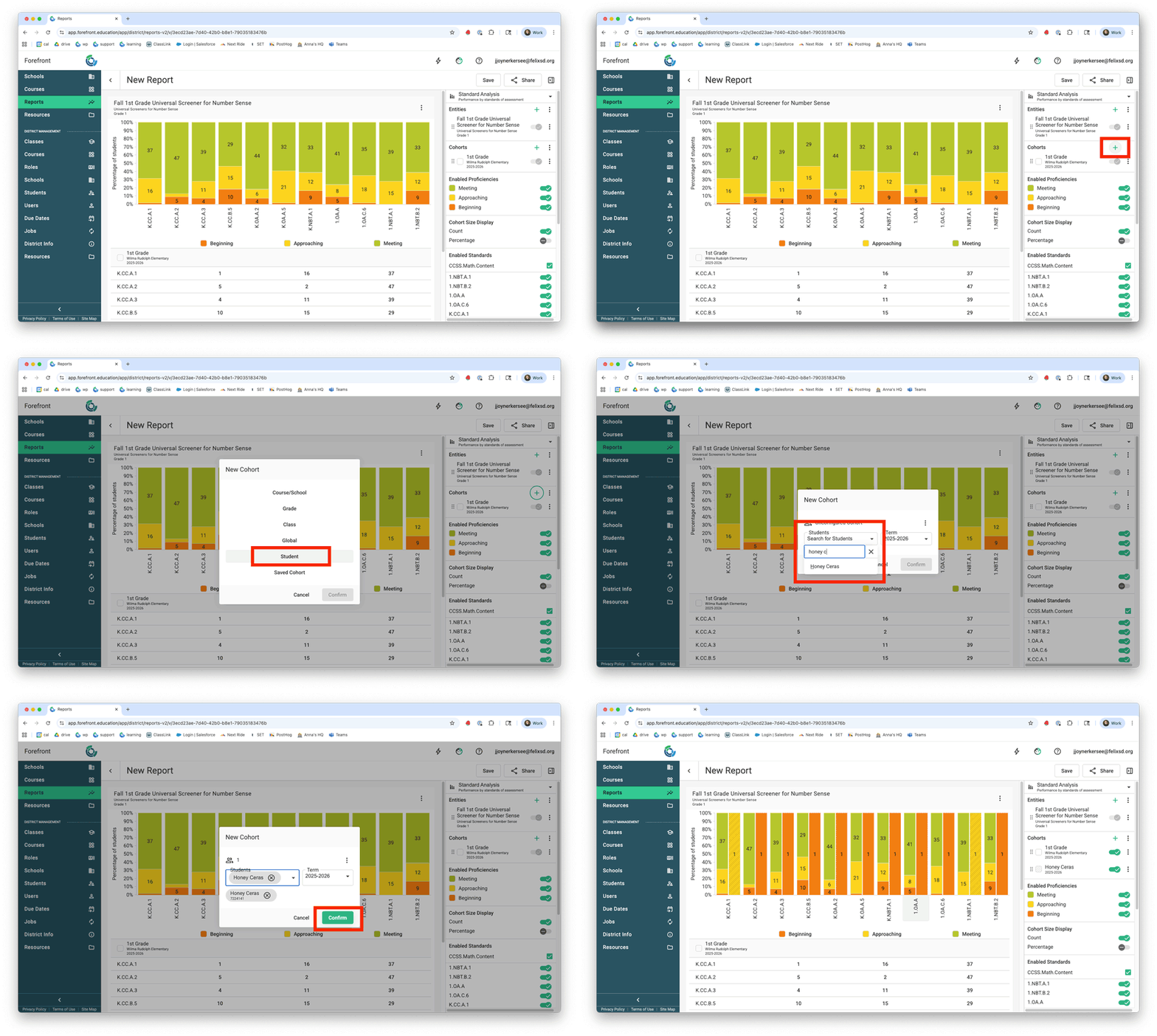
On the right, click the green plus-sign by Cohorts. Select “Student”, then search for and add the student.
How is my student doing on a specific standard over time?
Report Type: Standard Growth
Entities: 1 Priority Standard/Cluster
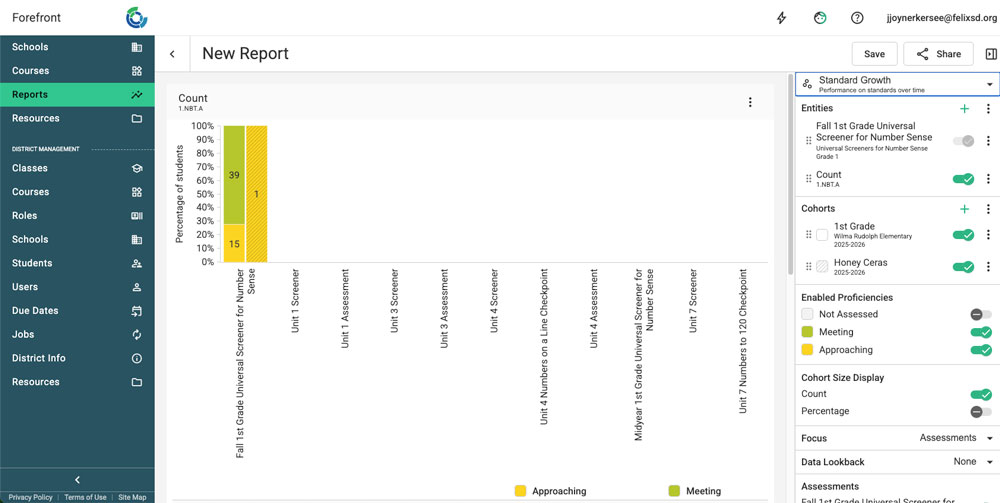
This report shows the proficiency of cohorts of student(s) on assessments that assess the standard selected as the entity. In the report below, a single student is being compared to their class on all assessments that assess 1.NBT.A. This report can contextualize a student’s performance compared to their class, school, or district.
How is my student’s performance changing over time?
Report Type: Line Chart
Entities: Multiple Assessments Over Time (in chronological order)
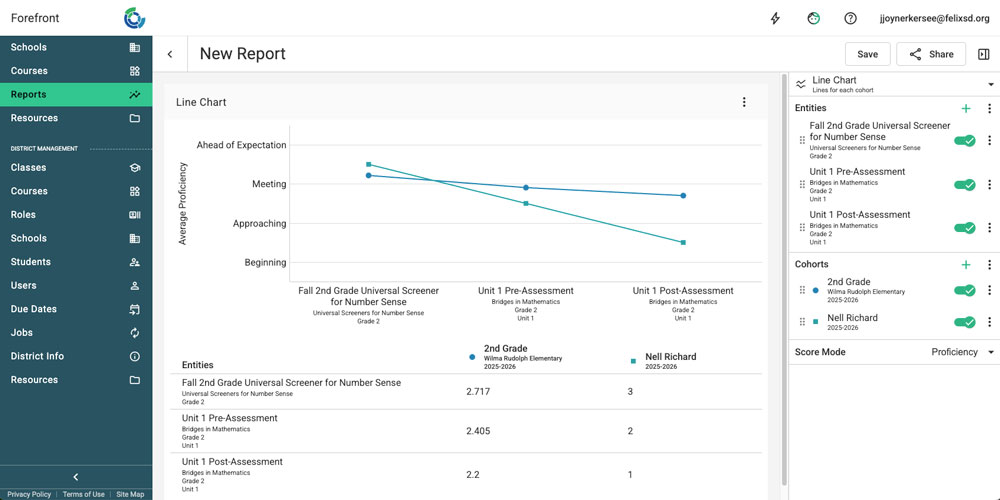
This report shows the proficiency of cohorts of student(s) on selected assessment entities. In the report below, a single student is being compared to their grade level in the building on three early school year assessments. This is another report that can contextualize a student’s performance compared to their class, school, or district. Click here to learn how to set up a report that goes across multiple school years.
Where are my student’s strengths and areas for support on an assessment?
Report Type: Question Analysis
Entities: 1 Assessment
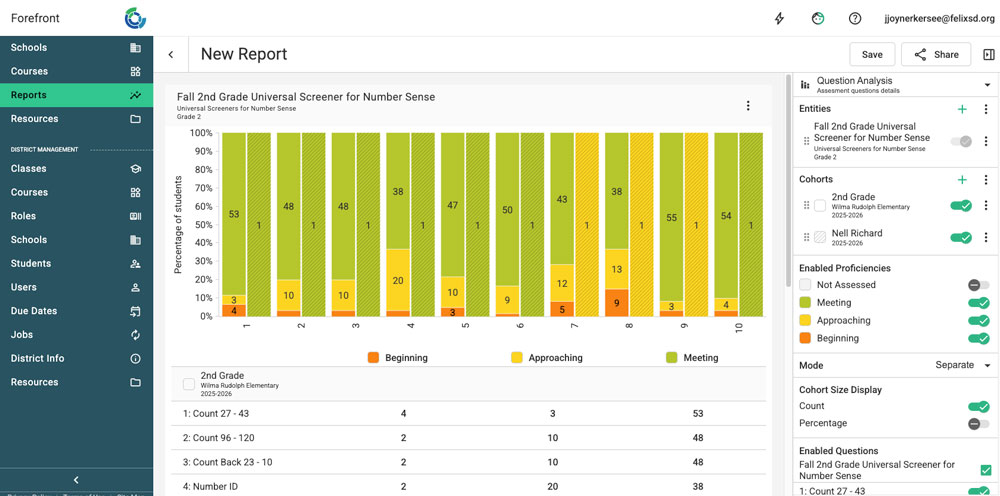
The question analysis report is a powerful tool for guiding instruction. Add a single student cohort to see which questions reflect the student’s strengths and which questions show a need for further support. The report below shows the student’s proficiency on the assessment and compares it to the performance of the grade level in their building.